ElevenReader puts ElevenLabs' lifelike voices into an iPhone app, while Hearem offers a curated multi-model engine (MiniMax, ElevenLabs, Qwen, Azure, Fish Audio) with native audio and subtitle export. Here is how they compare on real everyday listening.
A straightforward, honest comparison by the Hearem team based on verified official documentation and actual iPhone workflows. We focus on real everyday listening.
Choose Hearem if...
You want the flexibility to switch between frontier AI voice models (MiniMax for immersive audiobook pacing, Qwen for seamless bilingual code-switching, ElevenLabs for emotional speech, Azure for clean news); you need to export audio (.m4a/.mp3) and SRT subtitles directly to iOS Files or AirDrop; and you want transparent, low-cost $3.99/mo pricing.[1][2]
Choose ElevenReader if...
You listen exclusively using ElevenLabs' proprietary voices and community library; you only ever listen inside their mobile app; and you don't need to save or share standalone audio files to external storage.[7][4]
The same needs. Different workflows.
On smaller screens, scroll the table sideways. Each entry links to its sources.
Based on published documentation. “Verify in your app” does not mean unsupported.
Need
Hearem
ElevenReader
Primary Platforms
Dedicated iPhone app optimized for mobile listening, background playback, and audio export.[1]
PDFs, EPUB, TXT, web article extraction with clutter cleanup, image OCR, and direct text paste.[1]
PDFs, EPUB, TXT, articles, and scanned printed text via camera OCR.[7]
Voice Providers
Direct choice of frontier neural models: MiniMax, ElevenLabs, Qwen, Fish Audio, Azure Dragon HD, plus free on-device Apple voices.[1]
ElevenLabs proprietary voice ecosystem only. Does not offer alternative foundation models.[7]
Bilingual & Code-Switching
Native bilingual models (Qwen, MiniMax) handle Chinese-English and multilingual terms smoothly with authentic natural cadence.[1]
Supports 32 languages, but non-English or mixed-language sentences can sound foreign or accented compared to native models.[7]
Audio Export (.m4a/.mp3)
Standard plan natively exports audio files (.m4a/.mp3) and SRT subtitles directly to iOS Files or AirDrop.[1][2]
Audio export is explicitly unsupported in ElevenReader. Audio cannot be downloaded to external storage or Files.[4]
Voice Customization & Cloning
Supports reading with your own authorized voice clone. Cloned voices read any imported document.[1]
Ultra plan includes Voice Design using text prompts to generate new voices; sample-based instant voice clone reading is not in Reader.[6]
Long Document Smart Split
Smart Split automatically breaks long PDFs or books into smooth sections, generates in sequence, and allows merged export.[1]
Reads long documents and books with sentence highlighting. Custom segmentation and split control are not available.[7]
Offline Playback
Local Apple voices generate completely offline. Generated AI audio is saved locally for offline replay anytime.[1]
Ultra plan supports offline downloads, but files remain locked inside the app and are tied to active subscription status.[5]
Pricing & Billing
Generous free tier with local Apple voices. Transparent Standard plan at $3.99/mo with clear character balances and zero annual lock-in.[2][1]
Free tier with daily usage allowances. Ultra tier costs $11/month.[3]
Dedicated to mobile listening: see the real app
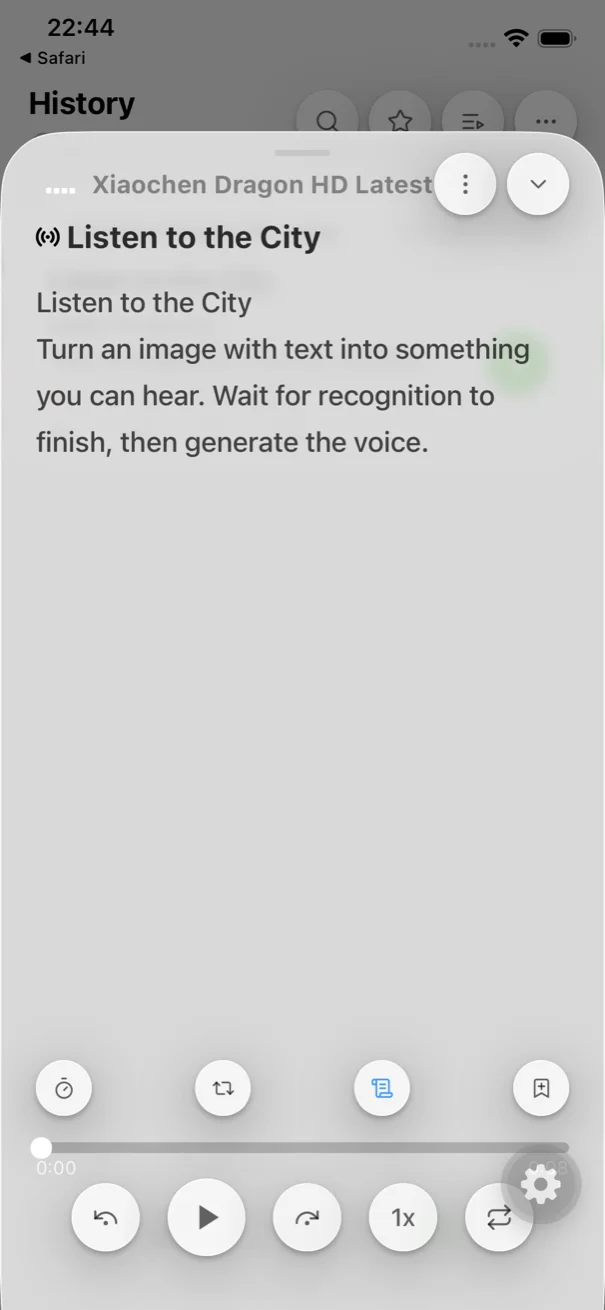
No desktop bloat or intrusive upsell prompts. An interface built for continuous listening, synchronized subtitles, and unhindered audio export.
Synchronized Subtitle TrackingFollow along with word-level highlighting, jump between sentences, and enjoy locked-screen playback.
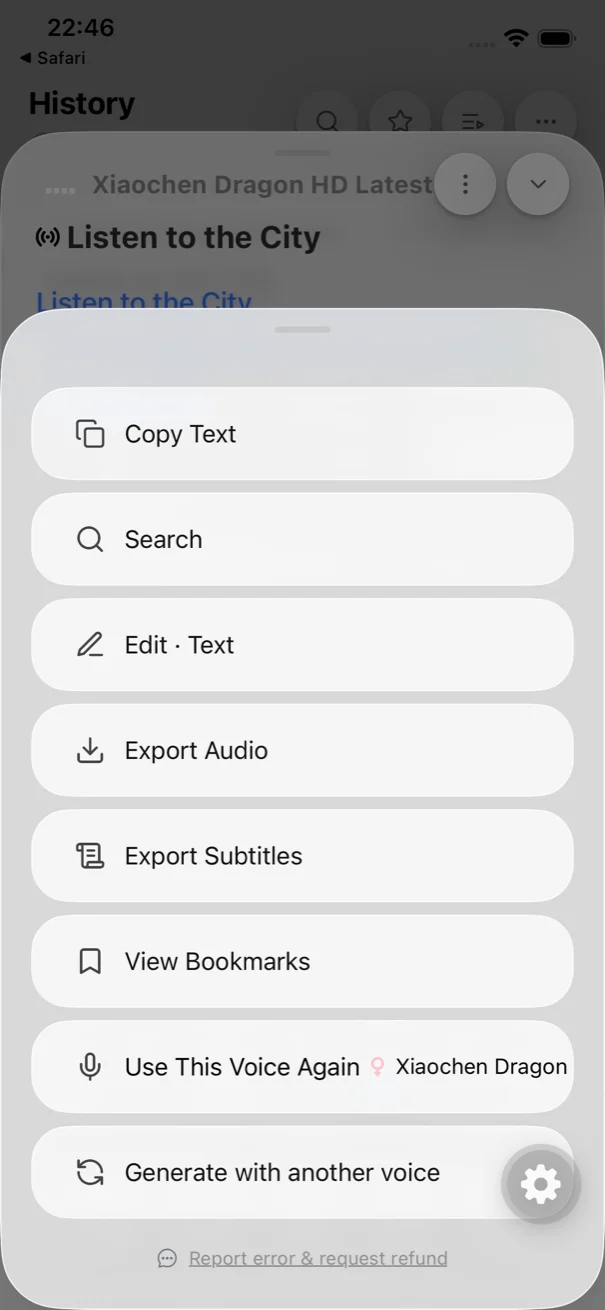
Native Audio & Subtitle ExportKeep your audio forever. Standard users can export audio files and SRT subtitles directly to iOS Files.
Audio Export: Save Your Audio vs. In-App Lock-In
A critical limitation of ElevenReader is that audio cannot leave the app. Official ElevenLabs documentation explicitly confirms that ElevenReader does not support exporting audio files to your device.
Hearem Standard natively lets you export generated audio (.m4a/.mp3) and synchronized SRT subtitles straight to iOS Files, AirDrop, or messaging apps. Your audio stays yours forever—listen on Apple Watch, your car, or third-party podcast players.
Voice Diversity: Multiple Frontier Models vs. Single Provider
ElevenLabs makes exceptional voices, but no single provider fits every scenario. MiniMax excels at long-form audiobook narrative pacing; Qwen provides fluent, authentic Chinese-English code-switching; and Azure Dragon HD delivers crisp news clarity.
Hearem doesn't lock you into one vendor. You get access to ElevenLabs voices alongside MiniMax, Qwen, Fish Audio, and Azure, picking the exact right voice for each article or book.
ElevenReader Ultra is priced at $11 per month. For listeners who want a focused, lightweight reading companion on mobile, Hearem Standard is available at $3.99/month with generous character allowances.
Hearem also offers free offline reading using Apple's built-in neural voices, so you can listen anytime without spending a cent.
Listen to the Difference: Real AI Voices in Action
Listen to neural voice cadence right here, or copy this test sentence into both apps on your iPhone:
Listen Online: Real AI Neural Voice Audition
Click any voice to preview. Spoken audio matches the transcript word-for-word.
Current Transcript (ElevenLabs · Bella)
“Clear narration gives thoughtful ideas room to breathe. Listen at your own pace, return to the important parts, and keep what stays with you. Make space for the ideas that deserve your attention.”
01ElevenLabsBellaNatural & Expressive
~12s
02AzureJenny Dragon HDWarm & Inviting
~11s
03ElevenLabsFionaRelaxed Podcaster
~12s
04AzureAdam Dragon HDDeep & Thoughtful
~11s
05ElevenLabsVinceConfident Narrator
~10s
06QwenSerenaCalm & Smooth
~12s
Suggested Self-Test: Mixed-Language Paragraph to Copy
今天的 meeting starts at 3 PM. Please review the notes before Friday. 次の会議は金曜日です。
Copy the text above into both apps on your phone to compare code-switching and pronunciation.
Import a mixed-language article: Listen to how smoothly each app pronounces technical abbreviations, acronyms, and bilingual terms.
Try saving the audio: See if you can export an audio file to your iPhone's Files app without hitting an absolute wall.
Check the speed and controls: Test background playback on your lock screen with the display turned off.
Questions before you switch
Can I export audio files from ElevenReader?
No. According to official ElevenLabs help documentation, ElevenReader does not support exporting audio files to external storage or iOS Files. Hearem Standard natively supports exporting full audio files (.m4a/.mp3) and synchronized SRT subtitle files.[1][4]
Does Hearem include ElevenLabs voices?
Yes. Hearem integrates ElevenLabs models as one of its core voice providers, alongside MiniMax, Qwen, Fish Audio, Azure Dragon HD, and offline Apple voices.[1]
Why is Hearem better for bilingual reading?
While ElevenLabs voices are renowned for English, foundation models like Qwen and MiniMax are trained specifically for natural Chinese-English code-switching, avoiding the awkward pronunciation pauses common in Western-centric models.[1]
How does pricing compare between Hearem and ElevenReader?
ElevenReader Ultra costs $11/month. Hearem Standard is $3.99/month with transparent character allocations, plus free offline reading with Apple system voices.[2][3]
Sources and verification scope
Features and pricing may vary by version, region or plan. We have not tested every voice. Send a correction with the app version and workflow when documentation and behavior differ.