
Turn PDFs into natural speech on iPhone.
Import a PDF, let Hearem extract and organize the text, choose a voice, and keep listening after you leave the screen. It is built for research papers, reports, study material, books, and other long documents.
- PDF text extraction
- Automatic long-text splitting
- Background and lock-screen playback
- Audio export and listening history
Free to start · No credit card required · Includes on-device Apple voices
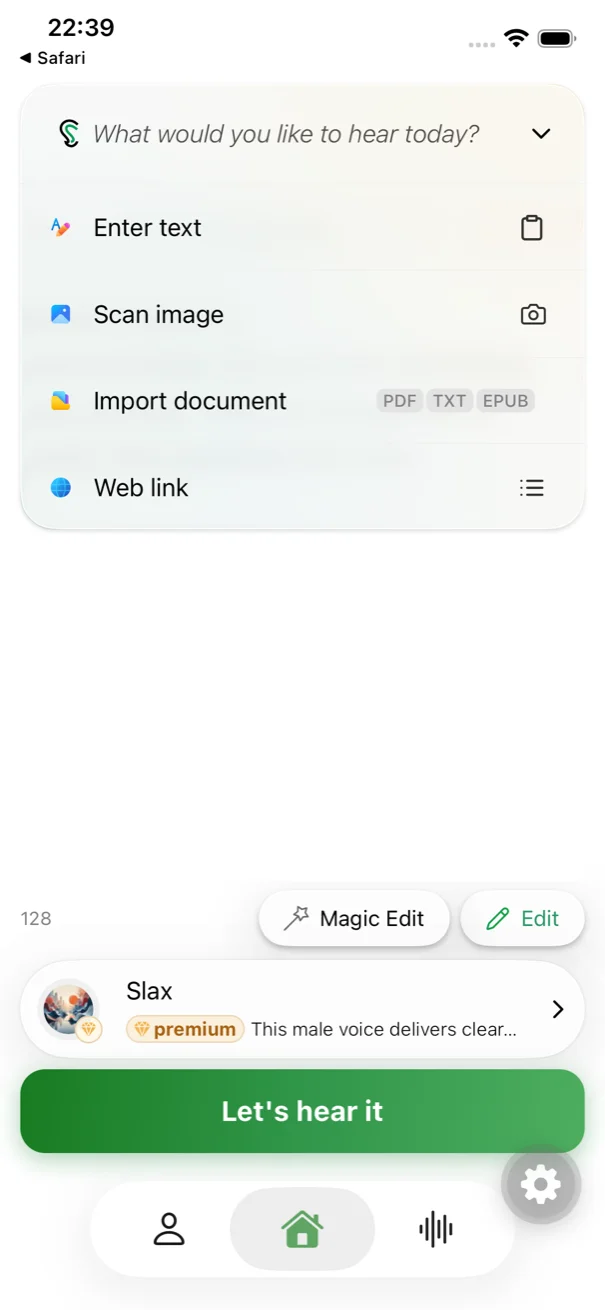
Built for dense academic papers and long research reports.
Dense PDFs don't belong trapped behind screen glare. Hearem extracts clean article body text, bypasses repetitive headers and footers, and turns multi-page documents into a continuous, distraction-free audio session for your commute or workout.
Built for long PDFs, not just short snippets.
Smart Split breaks long content into manageable sections so you do not have to copy and divide a paper by hand before generating speech.
Choose between local Apple voices and natural AI voices.
Use Apple system voices as a free, on-device option, or choose from supported AI voice providers when you want a more natural or expressive reading style.
Keep listening with the screen locked.
Playback can continue in the background or from the lock screen, so a document remains useful when you put your phone away.
Return to the exact place you left.
Hearem keeps listening history and playback progress, making long papers and reports easier to finish over multiple sessions.
Export the result when you need the audio outside the app.
Generated audio can be exported and shared, including merged long-form audio when the source has been split into sections.
Clean up the source before listening.
Magic Editor tools can summarize, translate, reformat, and prepare extracted text when a raw document needs a little work before it sounds right aloud.
How to listen to a PDF with Hearem
The workflow stays deliberately short: bring the document in, prepare it for speech, then listen where reading no longer fits.
Import the PDF
Choose a PDF from Files or share it into Hearem from another app.
Extract and organize the text
Hearem pulls out the readable text and can automatically split long content into sections.
Pick a voice and generate
Choose a supported Apple or AI voice that fits the language and material.
Listen, resume, or export
Continue in the background, come back to your saved position, or export audio for later use.
Useful for papers, reports, textbooks, and dense reading.
PDF-to-speech is most useful when the bottleneck is attention, screen time, or available reading time—not when you need to inspect a chart or layout visually. Hearem is designed to complement the original document, not replace it.
- Research papers and academic PDFs
- Course notes and study material
- Business reports and meeting documents
- Long-form reading saved for a commute
- Documents you want to review while walking or doing chores
Academic research paper excerpt
Hear how frontier neural models handle multi-syllable scientific terms and scholarly cadence without monotonous robotic flattening.
“Clear narration gives thoughtful ideas room to breathe. Listen at your own pace, return to the important parts, and keep what stays with you. Make space for the ideas that deserve your attention.”
Compare voices above to hear realistic cadence and natural breathing pauses on dense academic text.
PDF to speech FAQ
Do I have to split a long PDF manually?
No. Hearem includes Smart Split for long content, so large documents can be divided into manageable sections automatically before speech generation.
Can a PDF keep playing when my iPhone is locked?
Yes. Hearem supports background and lock-screen playback so you can keep listening after leaving the app or turning off the screen.
Can I export the PDF as audio?
Hearem supports audio export. Long content can also be merged for export when it has been generated in multiple sections.
Can PDF to speech work offline?
Apple system voices can run on-device and are the offline-friendly option. Cloud AI voices and some document-processing features require a network connection.