
Turn long text into speech without splitting it by hand.
Paste long text or bring in a document or web page. Hearem uses Smart Split to organize large inputs into listening-friendly sections, then keeps your progress as you move through them.
- Smart Split for long content
- Playback progress and history
- Background listening
- Merged audio export
Free to start · No credit card required · Includes on-device Apple voices
No more cutting, pasting, and hitting character caps.
Traditional TTS tools choke on 10,000-word articles, books, and long documents. Hearem uses Smart Split to divide text into contextual chunks, generate continuous narration without pauses, and remember your progress across days of listening.
Automatic segmentation for large inputs.
Smart Split breaks long text into manageable sections before generation, helping large articles, notes, books, and documents fit into a practical playback flow.
One place for text, web pages, scans, and documents.
Start by typing or pasting text, importing a document, extracting a web page, or using OCR on an image. The listening workflow stays consistent after the content comes in.
Playback that survives context switching.
Keep listening in the background or from the lock screen instead of leaving a long generation trapped inside an open app window.
Progress that survives multiple sessions.
Listening history and saved progress make it possible to stop halfway through a long piece and return later without finding your place again.
Subtitles and sentence navigation when you do want the screen.
Synchronized text makes it easier to follow along and jump back to a sentence when a dense section needs a second pass.
Export long-form audio when listening needs to leave Hearem.
Generated sections can be exported, including merged output for long content when you want one audio file outside the app.
From long text to something you can finish
Hearem keeps the mechanics of long-form generation out of the way so the user-facing flow stays simple.
Bring in the full source
Paste the text or import the web page, image, or document you actually want to finish.
Let Smart Split organize it
Large inputs are divided into manageable sections instead of forcing you to prepare dozens of chunks yourself.
Choose a voice that fits the material
Use a supported local or AI voice, then adjust playback to a pace that works for the content.
Keep your place
Listen in the background, pause for hours or days, then return through history and progress tracking.
Long text can come from more than a text box.
A practical long-text reader has to meet content where it already lives. Hearem brings several input paths into the same listening workflow.
- Typed or pasted text
- PDF and supported document imports
- Web pages and long articles
- Screenshots and photographed text through OCR
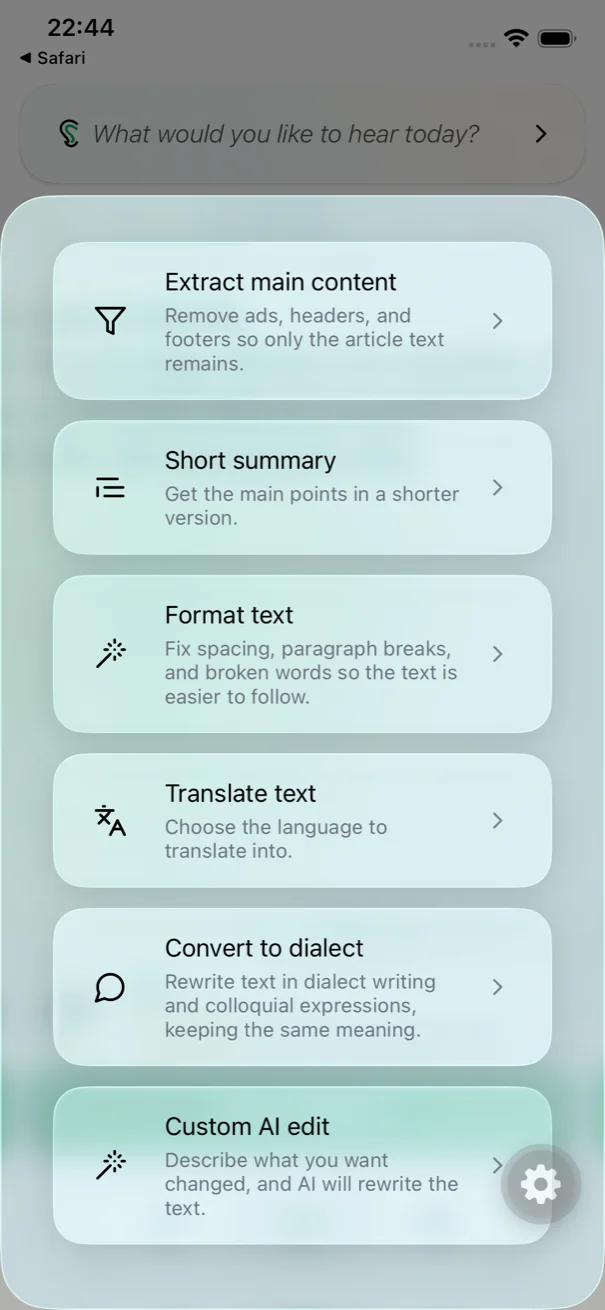
- Translated or summarized versions prepared with Magic Editor
Long-form book & essay excerpt
Long-form listening demands a voice that avoids listener fatigue. Audition our dedicated narrative voices below.
“Clear narration gives thoughtful ideas room to breathe. Listen at your own pace, return to the important parts, and keep what stays with you. Make space for the ideas that deserve your attention.”
MiniMax Audiobook and ElevenLabs Bella are specifically tuned for continuous, non-fatiguing narration across chapter-length text.
Long text to speech FAQ
Is there a limit on how much text I can listen to?
Limits depend on the selected plan, voice provider, and available character quota. Hearem uses Smart Split to handle large inputs within the constraints of the selected voice service.
Do I need to copy long text into separate chunks?
No. Smart Split is designed to break long content into manageable sections automatically.
Can I resume long audio later?
Yes. Hearem stores listening history and playback progress so you can return to long content across multiple sessions.
Can I export a long text-to-speech result?
Yes. Hearem supports audio export, including merged long-form output when content has been generated in sections.